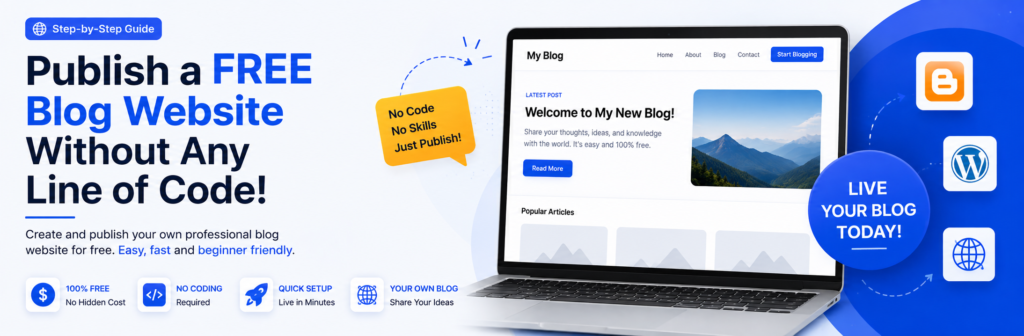
How to Create a Free Blog Website Without Writing a Single Line of Code
Want to start your own blog but don’t know how to code? You can create a professional-looking blog website without learning HTML, CSS, JavaScript, or any other programming language.
Whether you want to write about technology, education, personal experiences, tutorials, news, photography, or another topic, Blogger provides a simple way to get started.
What You Will Learn
- What Blogger is
- How to create a free Blogger website
- How to choose a good blog name
- How to select your blog URL
- How to create your first blog post
- How to add headings, images, and links
- How to publish an article
- How to customize your blog
- How to avoid common beginner mistakes
- How to make your blog more useful for visitors
What Is Blogger?
Blogger is a free blogging platform that allows you to create and publish blog posts without having to build a website from scratch.
You don’t need to purchase web hosting to start, and you don’t need programming knowledge to publish articles.
For beginners, this makes Blogger a convenient way to learn how blogging works before investing in a custom domain and hosting.
You can visit Blogger and sign in using your Google account.
Why Should You Start a Blog?
A blog can be more than just a website where you publish articles.
You can use a blog to:
- Share your knowledge
- Teach other people
- Document your experiences
- Build an online portfolio
- Promote your skills
- Build an audience
- Create a personal brand
- Develop your writing skills
- Potentially earn money from your content
The most important thing is to choose a topic that you understand and can continue writing about.
For example, a technology blog could cover:
- HTML
- CSS
- JavaScript
- WordPress
- Computer basics
- Web development
- Software tutorials
- Technology guides
What Do You Need Before Creating a Blog?
You don’t need expensive equipment.
You only need:
1. A Google Account
Blogger is connected to Google’s services, so you need a Google account to create and manage your blog.
2. An Internet Connection
You need an internet connection to access Blogger and publish your articles.
3. A Web Browser
You can use Chrome, Firefox, Microsoft Edge, Opera, or another modern browser.
4. A Blog Topic
Before creating your website, decide what you want to write about.
Don’t choose a topic only because you think it will make money.
Choose a subject that you can write about consistently and where you can provide genuinely useful information.
Step 1: Open Blogger
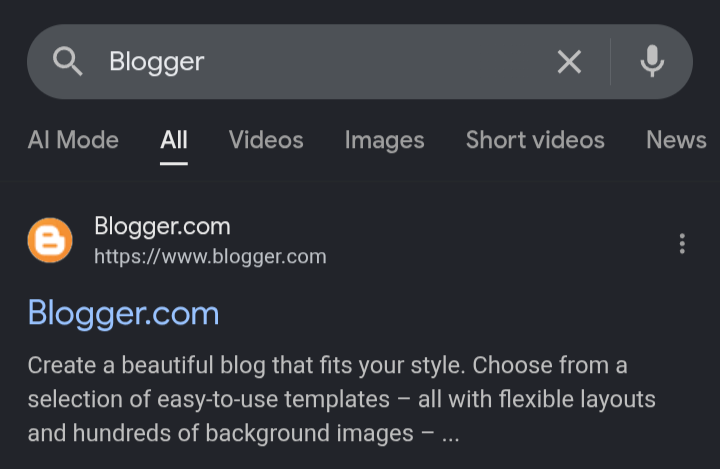
Open your browser and search for Blogger.
Go to the official Blogger website and sign in with your Google account.
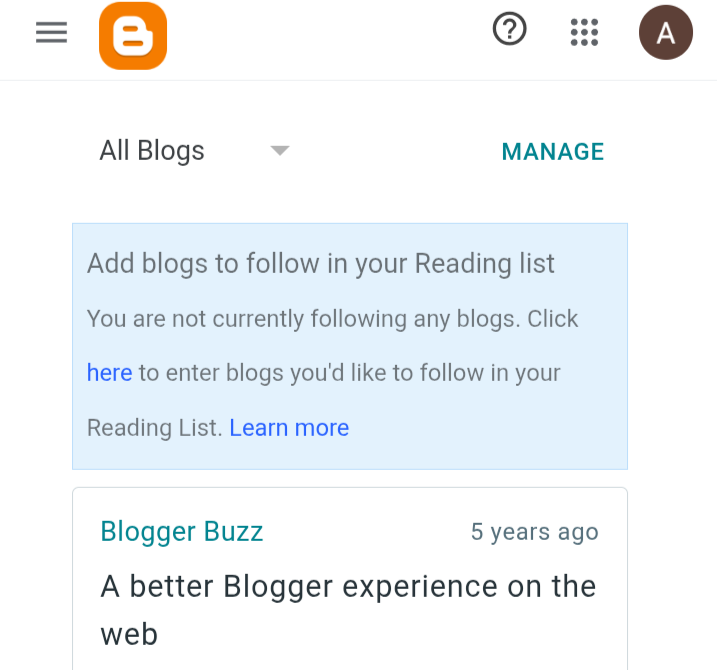
After signing in, you will see the Blogger dashboard.
The dashboard is where you can manage your blogs, posts, pages, comments, settings, and other features.
Step 2: Create a New Blog
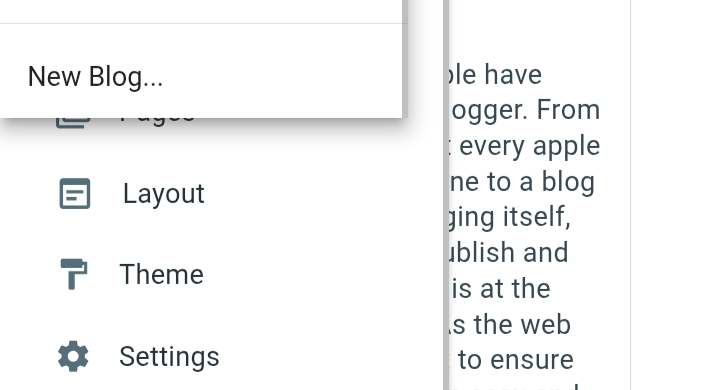
Once you are inside Blogger, look for the option to create a new blog.
Click New Blog.
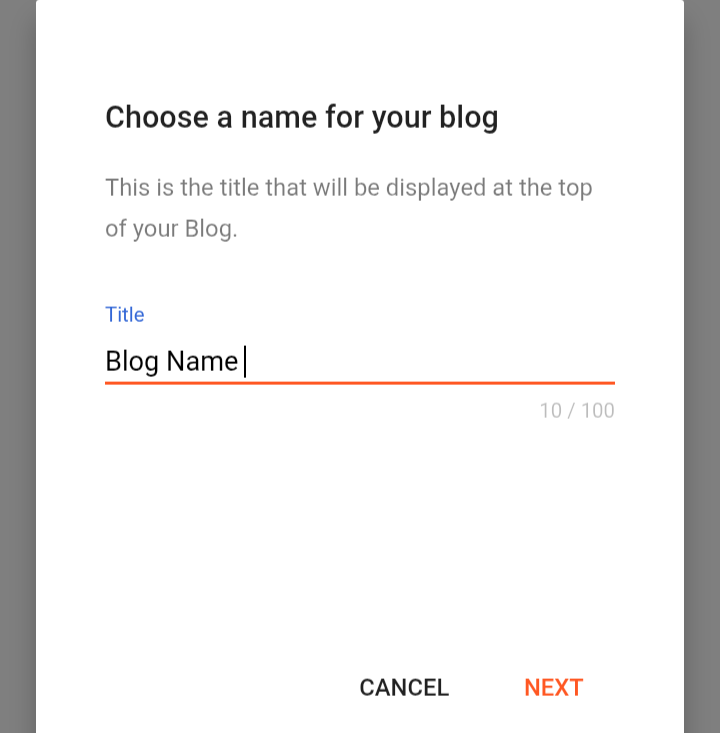
Blogger will ask you to enter a name for your blog.
This name will represent your website, so choose something relevant and easy to remember.
For example:
Tech Learning Hub
Beginner Web Tutorials
Computer Learning Guide
Avoid choosing a name that is difficult to spell or unrelated to your content.
Step 3: Choose Your Blog Name
Your blog name should clearly communicate what your website is about.
A good blog name should be:
- Simple
- Memorable
- Relevant
- Easy to spell
- Appropriate for your target audience
For example, if your website focuses on web development, a name related to coding, websites, programming, or technology may make more sense than a completely unrelated name.
Important Tip
Don’t spend days trying to find the “perfect” name.
A good, simple name that you can build a brand around is usually better than an extremely complicated name.
Step 4: Choose Your Blog Address
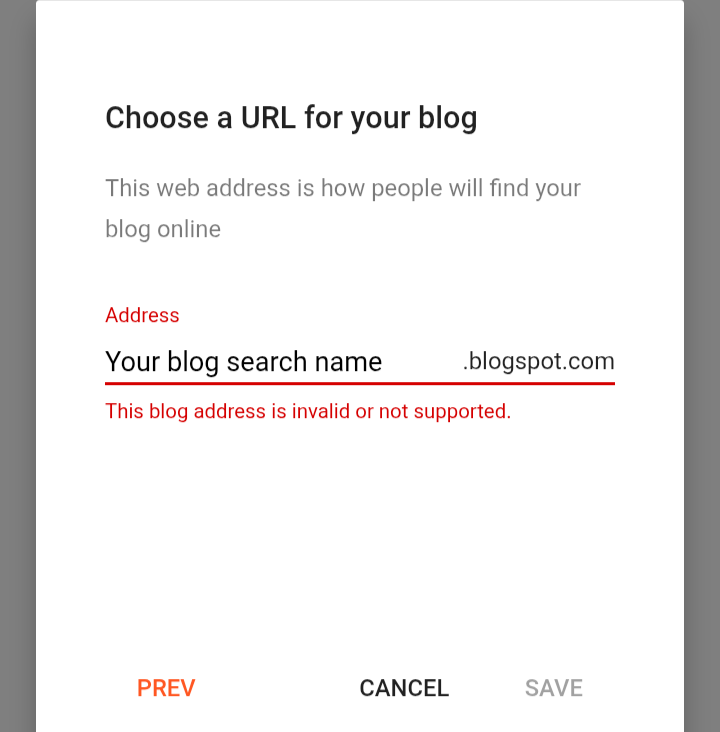
After entering your blog name, Blogger will ask you to choose a blog address.
This is the web address visitors will use to access your website.
Your free Blogger address will normally use the Blogger domain.
For example:
yourblog.blogspot.com
Try to make your address:
- Short
- Easy to remember
- Easy to type
- Related to your blog name
If your first choice is unavailable, try another variation.
Avoid
- Long strings of numbers
- Difficult spellings
- Too many hyphens
- Random words
- Unrelated keywords
Step 5: Your Blog Is Created
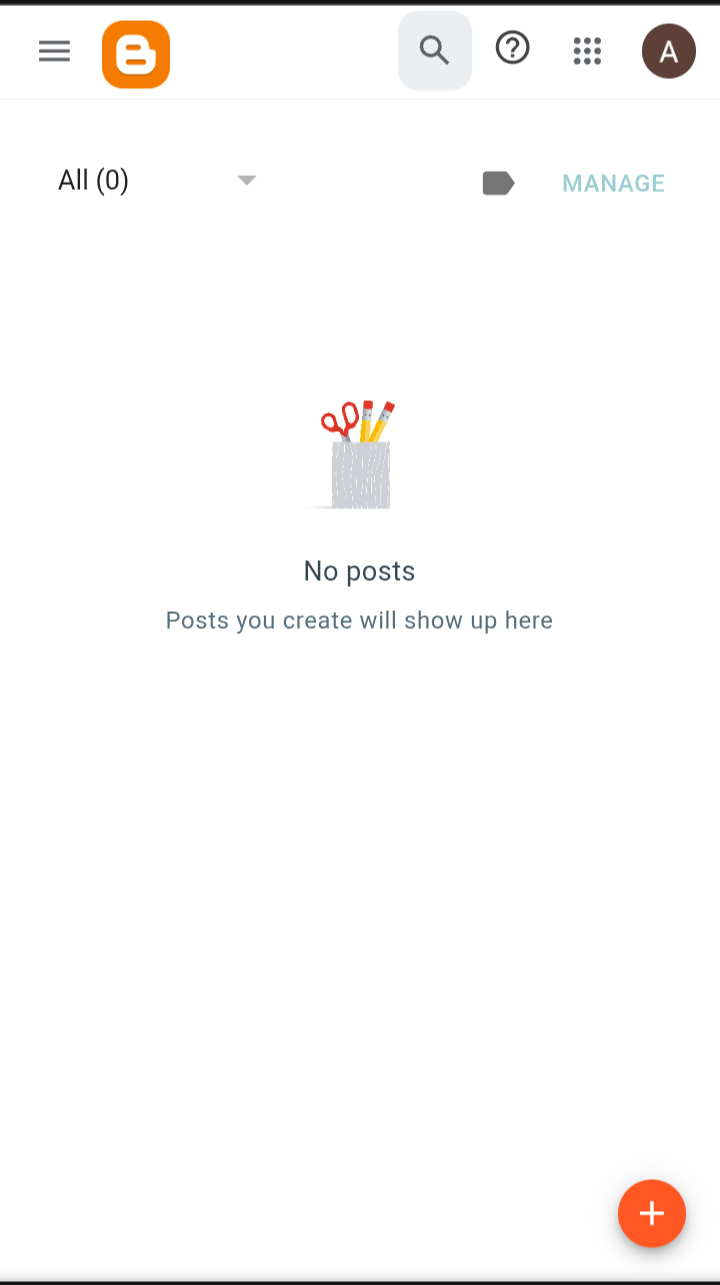
After choosing an available address, Blogger will create your blog.
Congratulations!
You now have a functioning blog website.
However, creating the website is only the beginning.
The next step is to create useful content for your visitors.
Step 6: Create Your First Blog Post
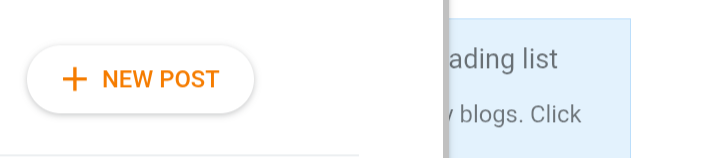
From the Blogger dashboard, open the Posts section.
Select New Post.
You will now see the Blogger post editor.
This is where you write your article.
Start with a clear title.
For example:
10 Useful HTML Tags Every Beginner Should Learn
Then write your article underneath the title.

Step 7: Structure Your Article Properly
Don’t publish a large wall of text.
Break your article into logical sections.
For example:
Introduction
Explain what the article is about.
What Is HTML?
Explain the topic in simple language.
Important HTML Tags
Explain the important tags one by one.
Examples
Provide practical examples.
Common Mistakes
Explain mistakes beginners should avoid.
Frequently Asked Questions
Answer common questions.
Conclusion
Summarize the important points.
This structure makes your article easier to read and understand.
Step 8: Add Images
Images can make tutorials much easier to understand.
For a step-by-step tutorial, screenshots are particularly useful because readers can compare what they see on their screen with your instructions.
For example, you could include a screenshot after explaining how to create a new blog.
Good Screenshot Practice
Before adding a screenshot, explain what the reader should look for.
For example:
After opening Blogger, look for the option to create a new blog in the dashboard.
Then place the relevant screenshot below the explanation.
Don’t fill the entire article with screenshots without explaining them.
The text should provide value even when the reader doesn’t look at the image.
Step 9: Add Links
Links are important for both readers and website navigation.
You can link to:
- Official documentation
- Helpful tutorials
- Related articles
- Your other blog posts
- Relevant pages on your website
For example, if you write an article about HTML and mention CSS, you could link to your CSS tutorial.
This is called internal linking when you link from one page on your own website to another.
Good internal linking helps visitors discover more useful content.
Step 10: Write a Useful Introduction
The introduction is one of the most important parts of a blog post.
Don’t start with several paragraphs of unnecessary information.
Tell readers:
- What the article is about
- Who it is for
- What they will learn
- What problem the article solves
For example:
Creating a blog may seem complicated if you have never built a website before. The good news is that you don’t need programming knowledge to start. In this tutorial, you’ll learn how to create a free blog using Blogger and publish your first article step by step.
This immediately tells the reader what to expect.
Step 11: Publish Your Article
Before publishing, carefully review your article.
Check:
- Title
- Spelling
- Grammar
- Headings
- Images
- Links
- Formatting
- Paragraph spacing
- Mobile appearance
When everything looks correct, click Publish.
Your article will then become available on your blog.
Step 12: Customize Your Blog
After publishing your first article, you can customize the appearance of your website.
Depending on your Blogger theme and available settings, you can modify things such as:
- Colors
- Fonts
- Layout
- Header
- Navigation
- Sidebar
- Footer
- Widgets
Don’t over-design your website.
A simple layout with clear navigation is often easier for visitors to use.
Create Important Pages
A professional blog shouldn’t only contain articles.
Consider creating important pages such as:
About
Tell visitors who operates the website and what the website is about.
Contact
Give visitors a way to contact you.
Privacy Policy
Explain how your website handles information and cookies where applicable.
Terms & Conditions
Explain the general terms for using your website.
These pages also make your website look more complete and trustworthy.
Common Mistakes Beginners Make
1. Choosing a Random Topic
Don’t create a blog about ten completely unrelated subjects without a clear structure.
Choose a primary focus.
2. Copying Other Websites
Don’t copy articles from other websites and publish them as your own.
Create original content based on your own knowledge, research, testing, and experience.
3. Writing Extremely Short Articles
A useful article doesn’t have to reach a specific word count.
However, it should properly answer the reader’s question.
If a topic requires 1,500 words to explain properly, don’t reduce it to 300 words just to publish quickly.
4. Using Too Many Images
Images should support your explanation rather than replace it.
Use screenshots when they genuinely help the reader.
5. Ignoring Mobile Users
A large percentage of visitors may access your website from smartphones.
Always check how your articles look on mobile devices.
6. Publishing Without Proofreading
Small spelling and grammar mistakes can make an otherwise useful article look unfinished.
Read your article once before publishing.
How to Make Your Blog More Professional
Creating a blog is easy.
Building a useful blog is the difficult part.
Focus on these areas:
Publish Helpful Content
Write articles that solve real problems.
Understand Your Audience
Know who you are writing for.
A beginner needs different explanations than an experienced developer.
Use Clear Headings
Break complicated subjects into smaller sections.
Add Real Examples
Examples help readers understand concepts.
Update Old Articles
Technology changes quickly.
Review older tutorials and update outdated information.
Build Internal Links
Connect related articles so readers can continue learning.
Can You Make Money From a Free Blog?
Yes, a blog can potentially be monetized, but creating a blog does not automatically generate income.
Possible monetization methods include:
- Display advertising
- Affiliate marketing
- Sponsored content
- Digital products
- Online courses
- Services
- Premium content
However, monetization should not be the only purpose of your website.
First focus on building useful content and a genuine audience.
Frequently Asked Questions
Is Blogger completely free?
Blogger provides a free way to create and host a blog using a Blogger address. Optional costs may apply if you later choose services such as a custom domain.
Do I need coding knowledge to use Blogger?
No. You can create and publish posts without knowing HTML, CSS, or JavaScript.
Can I add images to Blogger posts?
Yes. Images can be added to your blog posts and can be useful for tutorials and visual explanations.
Can I use my own domain?
Yes. You can move beyond the default Blogger address by connecting a custom domain.
Can I earn money from a Blogger website?
A Blogger website can potentially be monetized through methods such as advertising and affiliate marketing, subject to the requirements of the relevant platforms.
Is Blogger good for beginners?
Yes. Its relatively simple publishing interface makes it a useful starting point for people who want to learn blogging without building a website from scratch.
Should I publish every day?
No. Consistency and usefulness are more important than publishing every day.
A well-researched article can be more valuable than several low-quality posts.
Related TechAnees Guides
If you’re new to website development, continue learning with related guides on TechAnees:
- How to create a free blog website without writing code
- HTML basics for beginners
- CSS basics for beginners
- JavaScript basics for beginners
- WordPress tutorials
- Computer basics for beginners

About Techanees
Techanees is a technology platform sharing simple tutorials, useful guides, web development tips, and the latest tech updates for beginners and enthusiasts.