How to Build a Simple HTML & CSS Website in Just a Few Minutes
Creating your very first website can feel intimidating, but it doesn’t have to be. You don’t need years of coding experience or complex software to get started. In fact, with basic HTML and CSS, you can build a clean, functional webpage in just a few minutes.
What You Need to Get Started
Before diving into code, make sure you have the following basic tools ready:
- Hardware: A desktop or laptop computer (even a basic machine with 4GB RAM will work perfectly).
- Text Editor: A simple code/text editor such as Notepad (pre-installed on Windows) or Visual Studio Code (recommended for beginners).
- Web Browser: Any modern browser like Google Chrome, Mozilla Firefox, or Microsoft Edge to preview your work.
- Project Folder: A dedicated folder on your desktop to store your HTML files, images, and stylesheets.
Note on JavaScript: While JavaScript adds interactivity to websites, it is completely optional for building a static web page. You can create a great-looking site using only HTML and CSS.
Step 1: Open Your Text Editor
To start writing code, open your preferred text editor.
- On Windows, click the Search icon on your taskbar.
- Type Notepad (or Visual Studio Code) and select it from the list.
- Open the application normally (no need to run as administrator).
Step 2: Build the HTML Structure
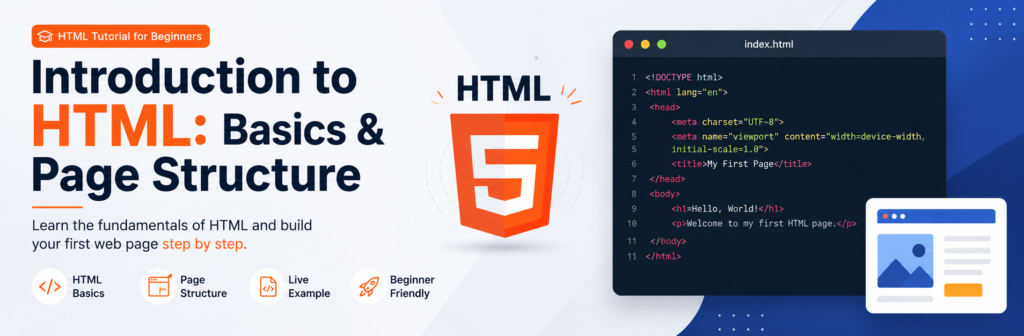
HTML (HyperText Markup Language) provides the structure and content of your website.
- Copy and paste (or type) the basic HTML code block into your text editor:
HTML
<!DOCTYPE HTML>
<html lang="en">
<head>
<meta charset="UTF-8">
<meta name="viewport" content="width=device-width, initial-scale=1.0">
<title>My First Website</title>
</head>
<body>
<header>
<h1>Welcome to My Website</h1>
<p>Building simple websites with HTML & CSS is easy!</p>
</header>
<main>
<h2>About This Page</h2>
<p>This is a simple webpage created in just a few minutes using basic HTML markup and CSS styling.</p>
</main>
<footer>
<p>© 2026 My Website. All rights reserved.</p>
</footer>
</body>
</html>
Welcome to My Website
Building simple websites with HTML & CSS is easy!
About This Page
This is a simple webpage created in just a few minutes using basic HTML markup and CSS styling.
Step 3: Save Your HTML File
Saving your code correctly is essential so your web browser recognizes it as a webpage.
- In your text editor, go to File > Save As.
- Navigate to your project folder.
- Name the file
index.html(ensure the extension is.html, not.txt). - Click Save.
Now, double-click the index.html file in your project folder. It will open in your web browser, displaying your raw HTML structure!
Step 4: Add CSS for Design & Layout
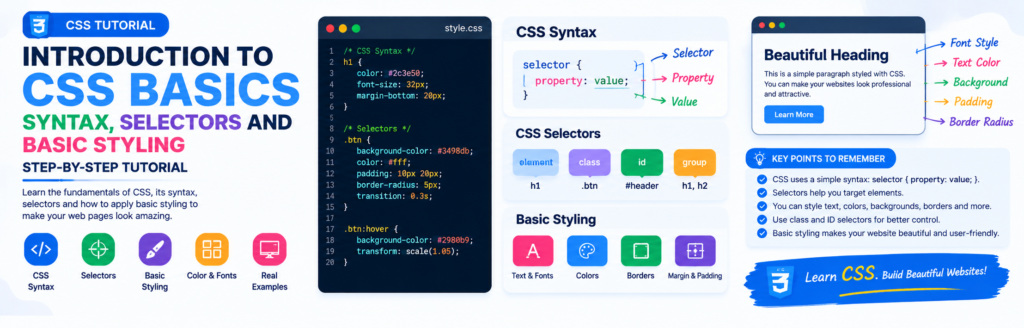
While HTML gives your site structure, CSS (Cascading Style Sheets) makes it look visually appealing. You can add CSS directly inside your HTML file using the <style> tag within the <head> section.
Update your index.html file to include the CSS rules below:
CSS
*{
            box-sizing: border-box;
        }
        body {
            font-family: Arial, sans-serif;
            line-height: 1.6;
            margin: 0;
            padding: 0;
            background-color: #f4f4f9;
            color: #333;
            min-height: 100vh;
            display: flex;
            flex-direction: column;
        }
        header {
            background-color: #0073e6;
            color: #ffffff;
            text-align: center;
            padding: 2rem 1rem;
        }
        header h1 {
            margin: 0 0 10px 0;
            font-size: 2rem;
        }
        header p {
            margin: 0;
            font-size: 1.1rem;
            opacity: 0.9;
        }
        main {
            max-width: 800px;
            width: 90%;
            margin: 2rem auto;
            padding: 1.5rem;
            background: #ffffff;
            border-radius: 8px;
            box-shadow: 0 2px 5px rgba(0,0,0,0.1);
            flex: 1;
        }
        main h2 {
            color: #0073e6;
            margin-top: 0;
        }
        footer {
            text-align: center;
            padding: 1rem;
            background-color: #222;
            color: #fff;
            width: 100%;
        }
        footer p {
            margin: 0;
            font-size: 0.9rem;
        }
Step 5: Refresh and View the Result
Save your changes in the text editor and refresh your browser page (F5 or Ctrl + R). You will see your plain text transformed into a clean, modern layout with centered content, customized background colors, and clear typography.
Pro Tips for Beginners
- Practice Consistently: Coding is a skill built through repetition. Spending 1–2 hours a day practicing small layouts will quickly build your confidence.
- Don’t Be Afraid of Errors: If something doesn’t look right, check your tags and CSS syntax (like missing semicolons or brackets).
- Experiment: Try changing background colors, font styles, and padding values in the CSS to see how they affect your page in real-time.

About Techanees
Techanees is a technology platform sharing simple tutorials, useful guides, web development tips, and the latest tech updates for beginners and enthusiasts.